Practical matters
Note on Sisu
Before starting the course, you shall enroll in the teaching part of the course in Sisu. Later you should again enroll in an exam (exams) in Sisu: separately in each exam instance that you will take. (There will three exam instances in the course.) If the exam enrollment in Sisu is missing, you will get no grade from the course.
Check also that Sisu has accepted your enrollment. The most common reason to reject enrollment is that the course is missing in the primary study plan. The course should be in the study plan for this semester. Enrollment in an exam can be accepted only if the enrollment in teaching has been accepted.
The material to be used on this course is like lecture notes, and it is not so book-like as on the previous programming course (Programming 1: Introduction to programming). However, if you think that you manage to pass the course independently as a network course, you can skip the lectures and/or exercise hours. It is important to be present in the first lecture to get to know the way of acting of the course. Note still that the content of the course becomes more difficult as the course advances, and you may need more support at later phase of the course.
Assignments for weekly exercises and projects can be found on the platform. You can work with them independently, if such a way of action suits for you. However, they have been planned such that you can start working with them at exercise hours and then complete them by yourself.
Course platform
We have divided the course into several sections (i.e. rounds), the most of which will take a week, but for some weeks there are several rounds. Moreover, at the end of the course there will be self-study material. From the name of each round, you can conclude, on which week its exercises are meant to be done.
Already on the first week, you will learn how to use our programming environment Qt Creator and how to practice with the first programming exercises. Lectures and exercise hours will help you in these tasks.
The course platform provides two views, one of which concentrates on the course content and the other one on the points you have collected (Course materials and Your points). You can change between these views from the menu on the left.
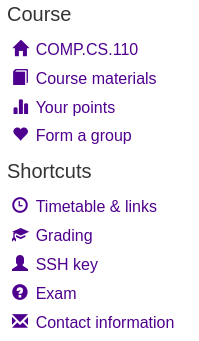
Course materials view gives you all material in the order that we will follow on this course. Exercise result view (Your points) shows you the points that you have collected so far. There you can check that you have got all the points that you have earned.
On the right side of both views (or down, if your screen is very narrow), you can see the progress bars, which show how much points you have collected.
Both views show you the deadline of each round, i.e. the date until which you should submit the exercises of the round. Moreover, exercise result view shows also the penalty deadline. From the points of the exercises submitted during penalty time, 30 % will be decreased.
In the menu, you can also see the point Form a group. It is meant for forming a group (pair), if you want to do a project with some other student, instead of working alone.
The menu contains also shortcuts to selected contents of the course.